 01 / 03
The same passenger, curb to gate
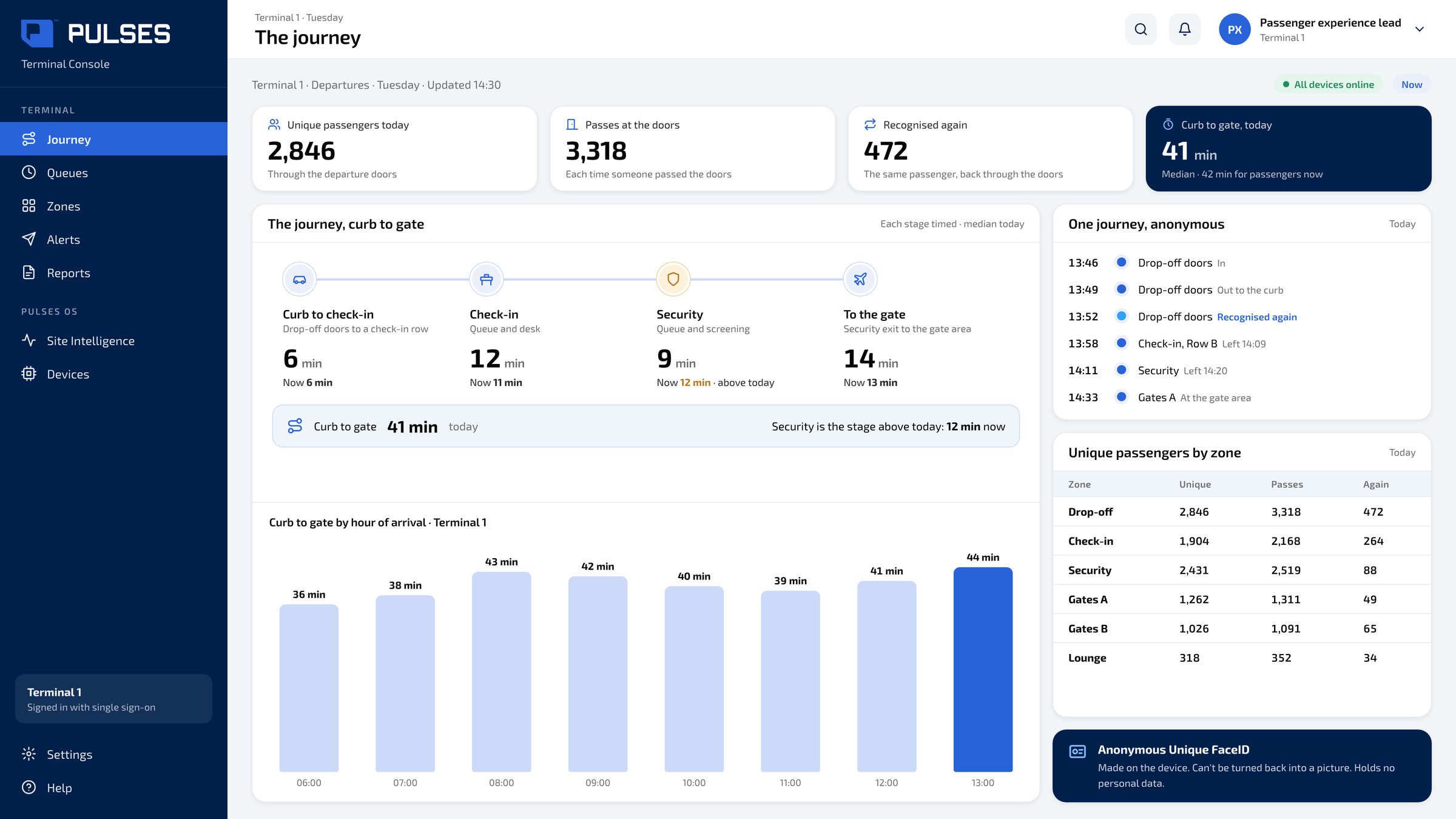
Unique passengers today, and the time from the curb to the gate, each stage timed.
For airport terminals: each checkpoint counts its own crowd. See the same passenger from the curb to the gate.
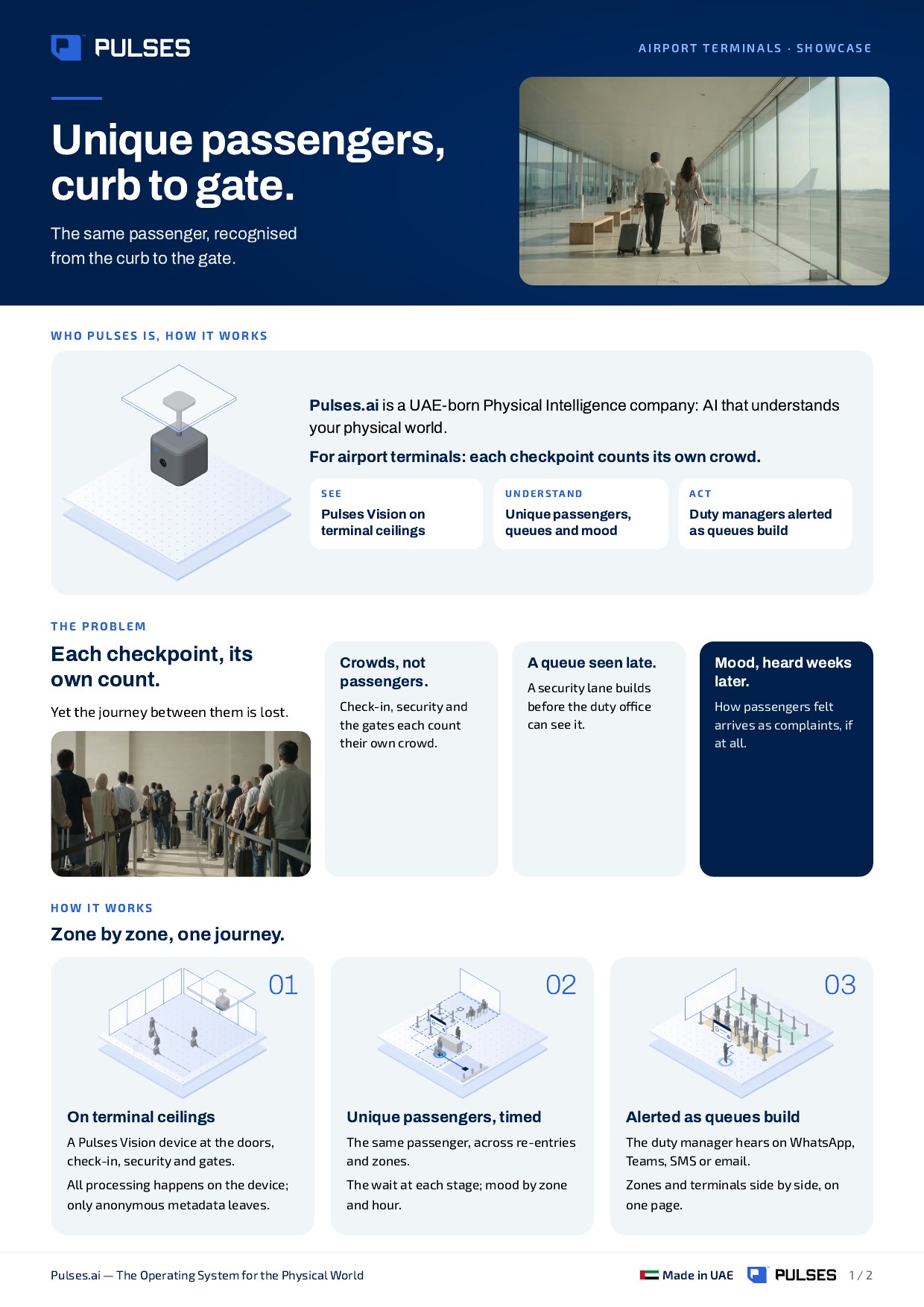
For airport terminal operators who need to know how passengers really move, not only how many pass a checkpoint. A Pulses Vision device on the ceiling of each zone, from the drop-off doors through check-in and security to the gates, shows each unique passenger's journey from the curb to the gate, with each stage timed. Pulses CX shows unique passengers and mood by zone and hour, with no surveys. Pulses Ops shows the queue and the wait at each check-in row and security lane, and tells the duty manager on WhatsApp, Teams, SMS or email as a queue builds. Anonymous Unique FaceID is derived on the device, can't be turned back into a picture and holds no personal data. All processing happens on the device; only anonymous metadata leaves it.
A Pulses Vision device on the ceiling of each zone: the drop-off doors, check-in, security, the gates.
The same passenger, recognised across re-entries, days and zones, from the curb to the gate, each stage timed. The queue at each check-in row and security lane, and mood by zone and hour, with no surveys. Anonymous Unique FaceID: made on the device, it can't be turned back into a picture and holds no personal data.
A building queue reaches the duty manager on WhatsApp, Teams, SMS or email. Every zone and terminal, side by side on one page.
01 / 03 Unique passengers today, and the time from the curb to the gate, each stage timed.
 02 / 03
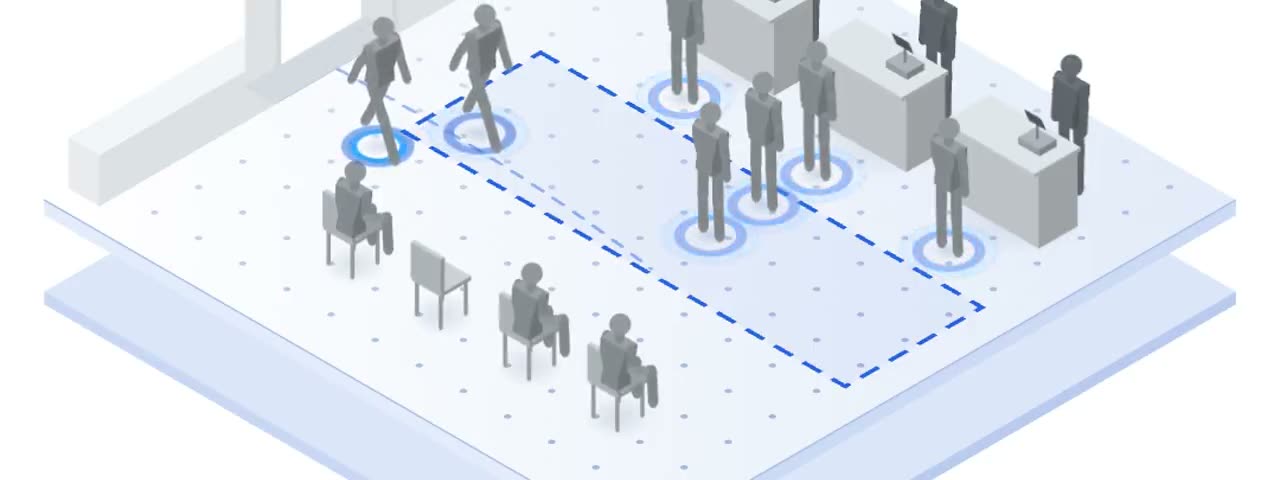
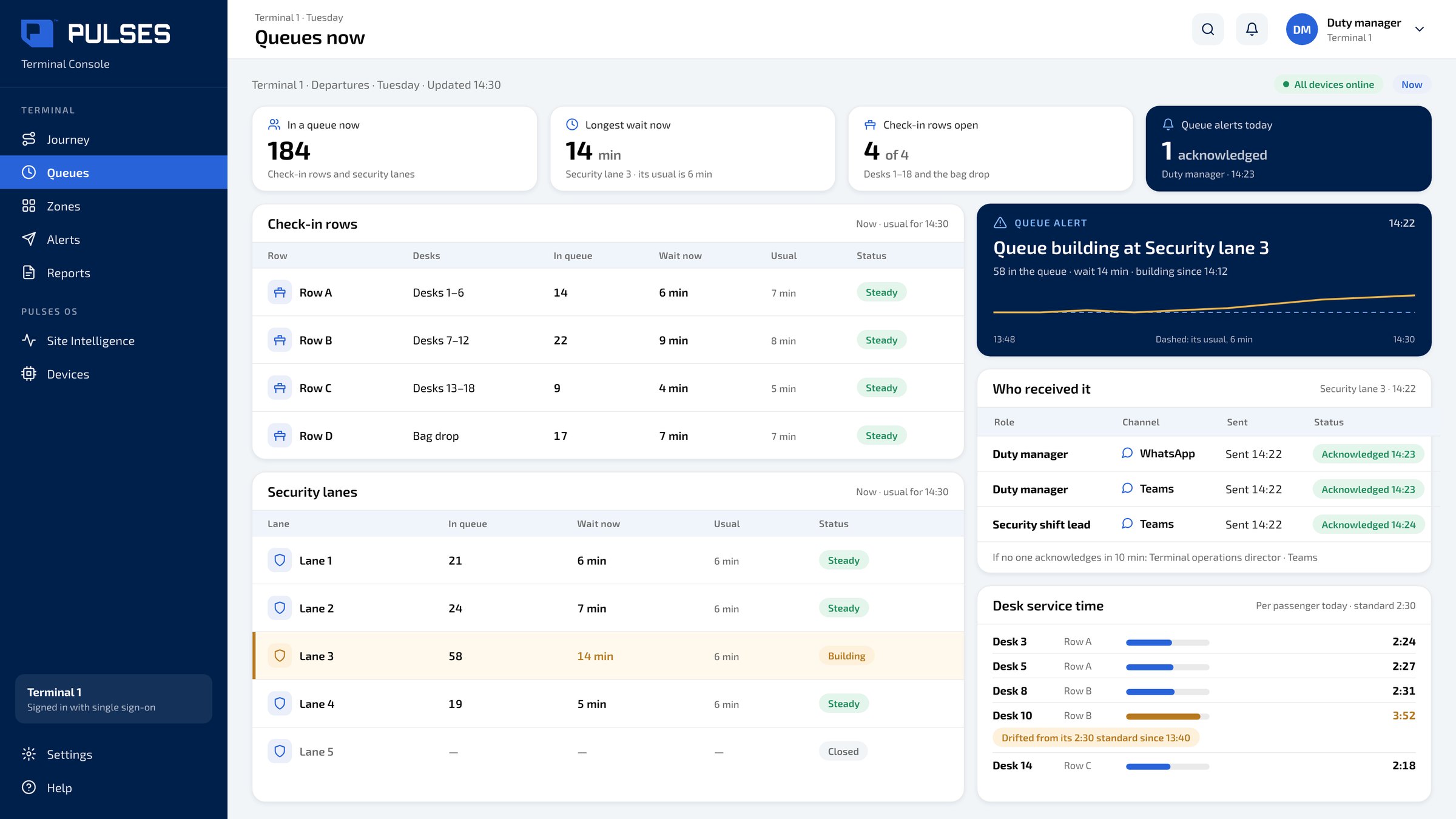
The wait and the length at each check-in row and security lane, and the alert the duty manager acknowledged.
 03 / 03
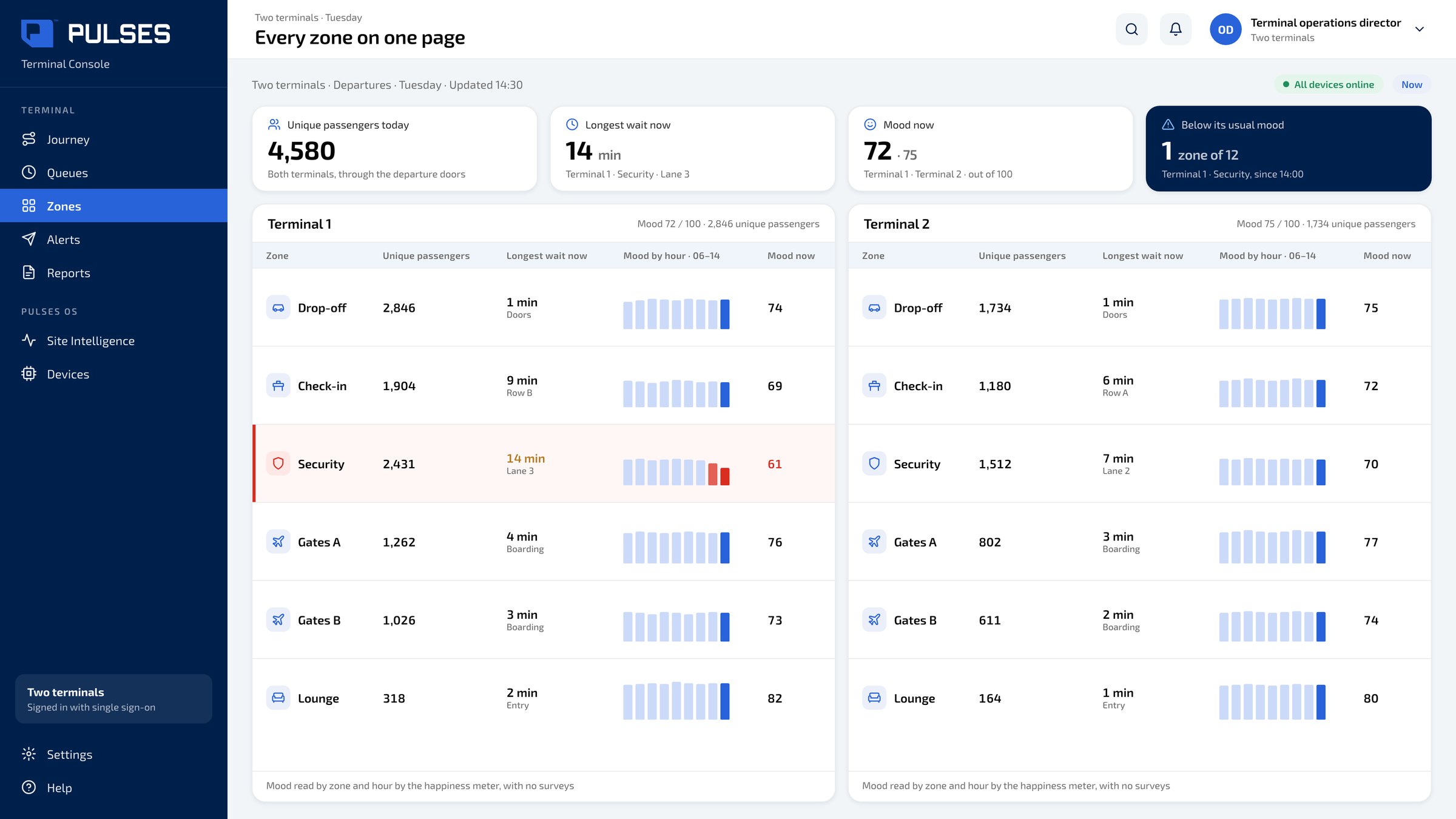
Terminals and zones side by side: unique passengers, the wait, and mood by the hour.
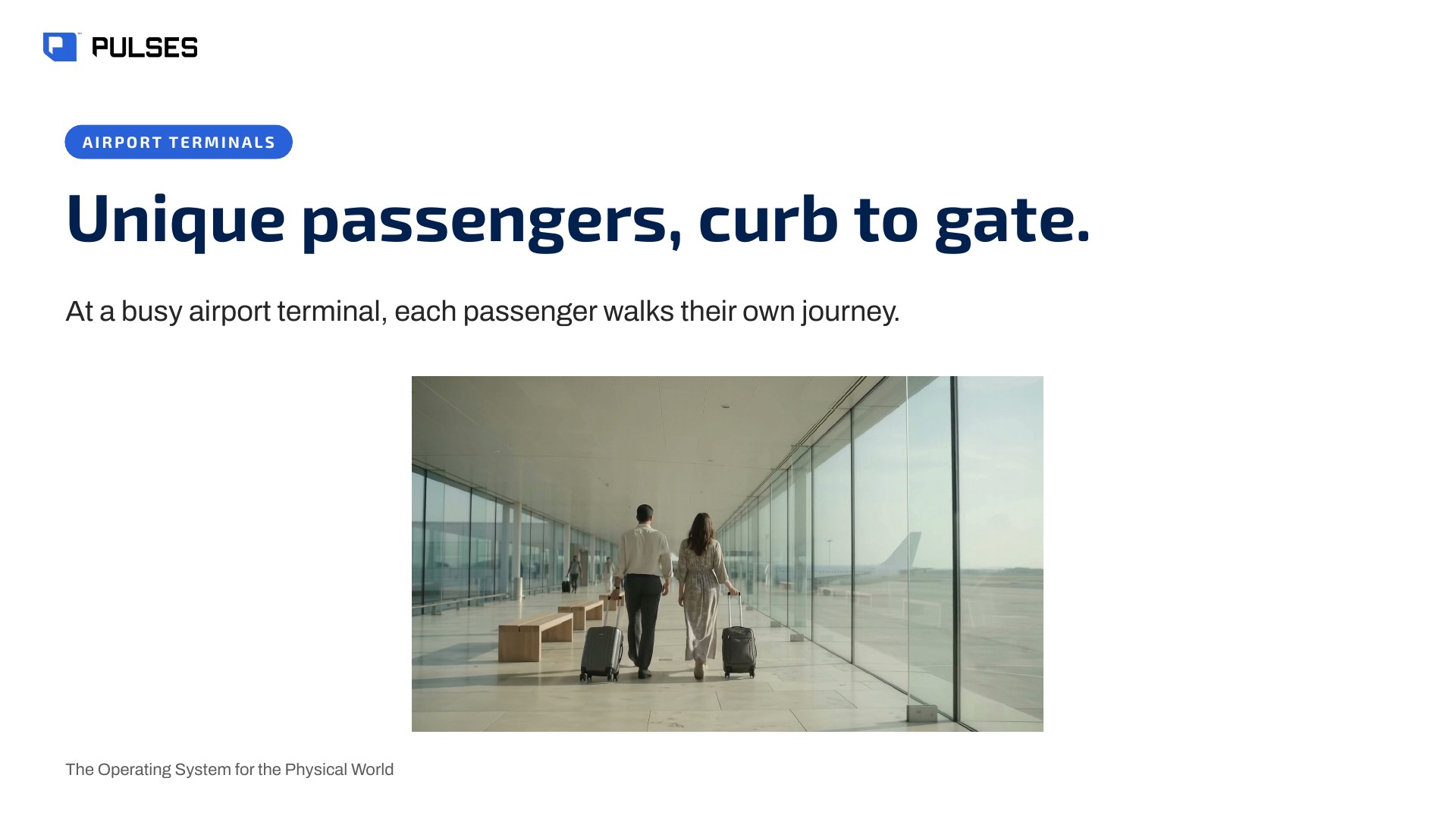
At a busy airport terminal, every passenger walks their own journey, from the curb to the gate. Yet each checkpoint counts its own crowd, and the journey between them is lost. Pulses. AI for the physical world. A Pulses Vision device on the terminal ceiling understands each unique passenger, the waiting time and the mood. The same passenger, curb to gate, each stage timed. As a security line builds, the duty manager hears on WhatsApp or Teams. Every zone on one page, with mood by the hour. Over one hundred and fifty million journeys counted across Pulses deployments. Designed and made in the UAE. See the full showcase.
The story for your operations team: the problem and how it works.
Print-ready. Hand it on after the walkthrough.
Yes. Each passenger is one journey from the curb to the gate, across re-entries and zones, so a passenger who passes two checkpoints is not counted as two people. This comes from Anonymous Unique FaceID: derived on the Pulses Vision device, it can't be turned back into a picture and holds no personal data. Pulses CX shows unique passengers today and the time from the curb to the gate, each stage timed.
Pulses Vision devices on the ceiling of each zone measure the queue from the floor: the length and the wait at each check-in row and security lane, right now and by the hour. Pulses Ops puts each zone and terminal side by side on one page, so the duty manager sees which lane is building and how long passengers are waiting there, without a survey or a manual count.
As a queue builds at a check-in row or security lane, the duty manager hears on WhatsApp, Teams, SMS or email, the channels the team already answers. Pulses OS keeps the alert, and whether the duty manager acknowledged it, beside the wait and the queue length at that lane, so the team can act while passengers are still in line.
Processing happens on the Pulses Vision device itself. No image leaves the device; only anonymous metadata does, such as counts, waits and mood by zone. The anonymous ID behind unique passengers is derived on the device, can't be turned back into a picture and holds no personal data, so the duty manager sees how passengers moved and waited, not who they were.
A real passenger-by-passenger journey.
Ask Pulses
Hello. Ask a question, or type your business.
Pulses spots a growing queue or a late car as it happens, and alerts your team.
What leaves the device is anonymous data, not video.
No. Pulses works alongside it, and can process its feeds on site.
Pulses Vision indoors, Vision Pro outdoors, Vision Tower for temporary sites, Vision Roam on vehicles.
Your supervisors, on the channels they use, with your approval.
Book a walkthrough. We find where Pulses helps first.
See Pulses at your site. Book a walkthrough.
Book a Walkthrough