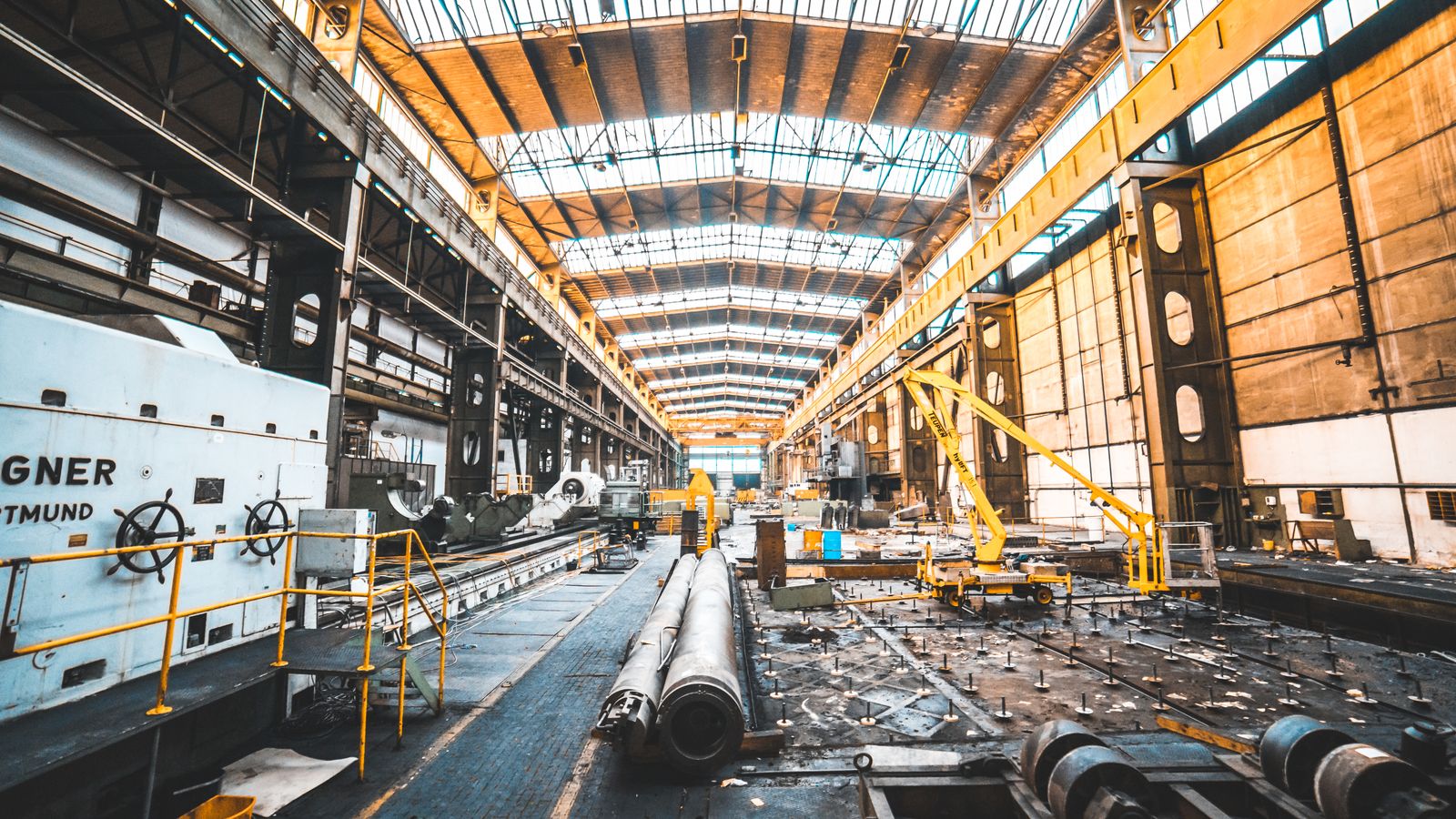
Manufacturing & Industrial
Station 4 unstaffed at shift change.
Pulses OS flags empty stations and restricted-zone entries, and alerts the supervisor.
Your ERP logs output. It misses the empty station at shift change.
Processed on the device. What leaves is anonymous data, not video.
Pulses on the plant floor
For plants, warehouses and industrial sites where delays and gaps hide between stations. Pulses Vision indoors and Pulses Vision Pro at yards and docks count and time people and vehicles on site. Pulses Ops times each station's actual cycle against your plan, checks each station is staffed at shift change, and times each truck's arrival, wait and departure at the dock. Pulses Compliance checks hard hats and vests at restricted-zone entry and alerts the safety officer, alerts the safety team when someone enters a hazardous area, and counts people in confined spaces against their limit. Zone entries and headcounts are logged as anonymous data for your audits. Site safety and contractor visits have their own use cases (safety, perimeter and contractors). Processing happens on site; what leaves is anonymous data, not video.
Gaps found hours later.
Cycle times are planned, not timed. Safety rounds are periodic. Delays hide between stations.
Your systems measure output. Pulses times what happens between stations, as it happens.
How it works
Pulses Vision Devices sit over lines, restricted zones, loading docks and gates.
- 01
Install the devices
Pulses Vision indoors. Vision Pro, sealed to IP67, at yards and docks.
- 02
Edge Processing
Each device counts and times people and vehicles on site.
- 03
Anonymous data, not video
What leaves the device is anonymous data, not video.
- 04
Alerts to your team
Supervisors get an alert while the shift is still running.
What it spots
Pulses Ops times lines and docks. Pulses Compliance flags zone and headcount breaches.
Operations
-
Cycle time, station by station
Pulses OS times each station's actual cycle and handoff, against your planned cycle.
-
Where the line stalls
Pulses OS shows where work waits longest, such as a staging area over its target.
-
Dock waits, bay by bay
Pulses OS times each truck's arrival, wait and departure, and alerts when a bay runs past its target.
-
Warehouse congestion by zone
See which aisles crowd and which sit unused, then plan the layout on real counts.
-
Stations staffed at changeover
Pulses OS checks each station is staffed at shift change, and alerts the supervisor to any gap.
Compliance
-
PPE checks at zone entry
Pulses OS checks hard hats and vests at restricted-zone entry, and alerts the safety officer.
-
Restricted-area alerts
When someone enters a hazardous or controlled area, the safety team gets an alert.
-
Occupancy Limits
Pulses OS counts people in confined spaces and clean rooms, and alerts when a zone passes its limit.
-
Audit trail for each zone
Zone entries, time inside and headcounts are logged as anonymous data, as evidence for your audits.
-
Incident timelines
Rebuild an incident from the zone log: how many people, where and for how long.
Built for the plant floor
Alerts come from the device on site, not a distant server.
-
Processed on the device
Processing happens on site. Video streams are not sent to the cloud.
-
Privacy by design
Workers appear as anonymous counts and times, not video.
-
Built for yards and docks
Vision Pro is sealed to IP67 for dust and water, on yards and loading docks.
-
Works with your CCTV
Pulses works alongside your CCTV. The Pulses Appliance can process its feeds on site.
Who Uses It
-
Plant Operations
VP Manufacturing, Plant Managers, Directors of Production
Cycle times, staffed stations and dock waits, in Pulses Ops.
-
EHS & Safety
VP EHS, Safety Directors, HSE Managers
PPE checks, restricted-area alerts and audit records, in Pulses Compliance.
-
Supply Chain
VP Supply Chain, Directors of Warehousing
Dock turnaround, warehouse congestion and staging times, in Pulses Ops.
-
Corporate Leadership
COOs, VPs of Operations
Compare plants on the same station and dock times.
Deployment Options
Pulses Cloud, your Azure tenant, or a Pulses Appliance on site.
-
Pulses Cloud
Hosted by Pulses. The fastest way to start.
-
Your Azure tenant
Pulses OS in your own Azure tenant.
-
Pulses Appliance
On your site, for data that must stay there.
-
On the device
Each device processes on site. What leaves is anonymous data, not video.
Questions from plant teams
What is the best AI PPE detection system for construction sites in the UAE?
We would rather show you on your own site. Pulses checks hard hats and vests at restricted-zone entry from a Pulses Vision device above the way in, and alerts the safety officer. Each miss is logged with its record, and PPE checks, restricted-area alerts and audit records sit together in Pulses Compliance. Processing happens on site.
How can I enforce helmet and hi-vis compliance at site entrances?
Pulses checks helmet and hi-vis at the boundary of each zone. When gear is missing, the alert reaches the person when Pulses can contact them; otherwise it goes to your safety team on the channels they already use. Each breach stays assigned to someone until it is closed, so misses at each boundary show on one page.
Can I add AI analytics to my existing CCTV cameras?
Yes. Pulses works alongside your CCTV and does not replace it. Customers who want to reuse their existing CCTV feeds can connect them to the on-premise Pulses Appliance, which processes them on site. Pulses Vision Devices are placed where a job needs accuracy, such as stations, docks and zone entries, and process on the device in real time.
How do I verify that contractors actually showed up for maintenance visits?
Pulses sets the week's booked visits against presence seen at the asset, and a visit with no presence seen goes to the site manager before the invoice is approved. A Pulses Vision Pro at the asset reads that someone was there, not who, and processes on the device.