 01 / 03
 Gate list
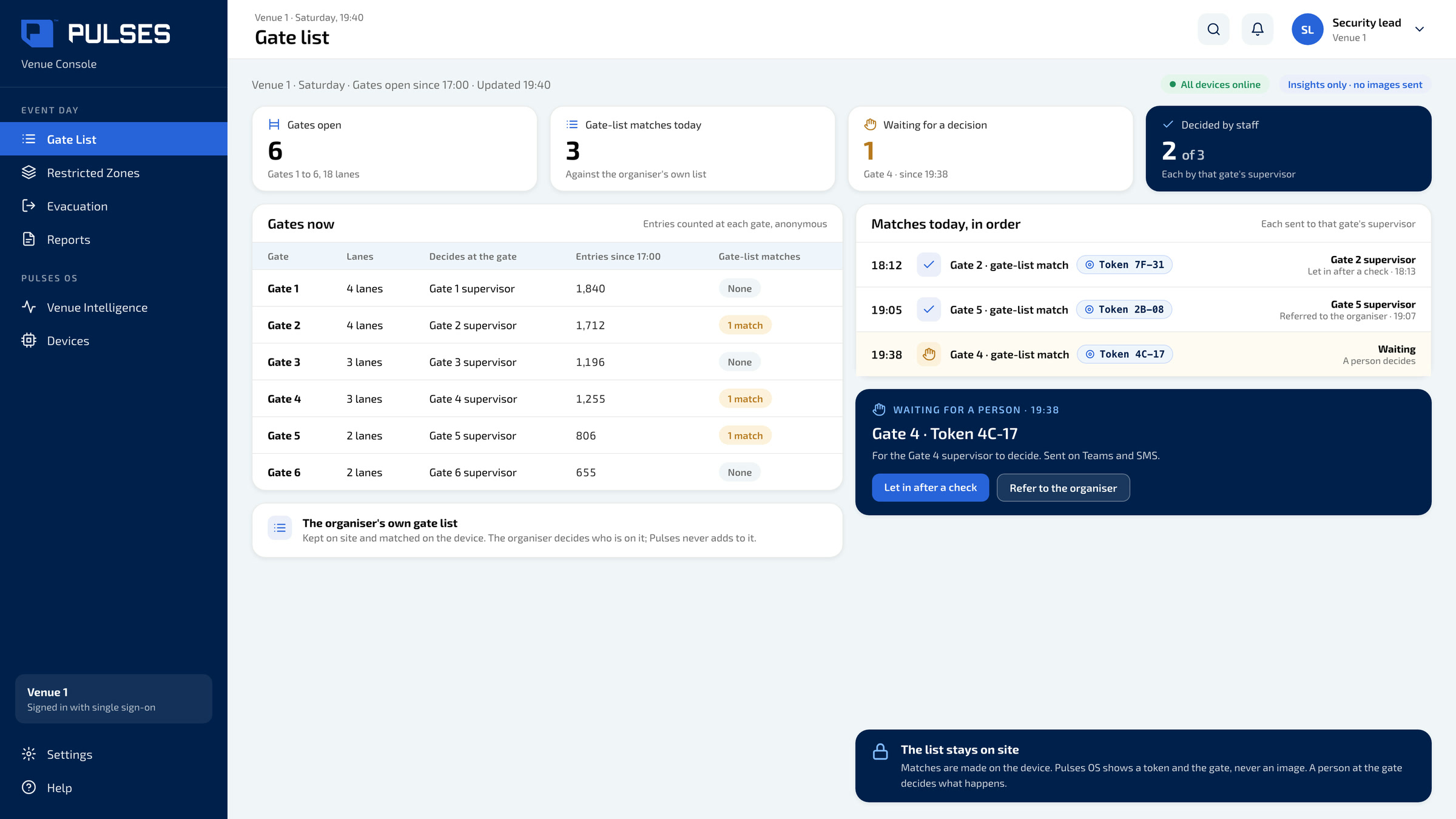
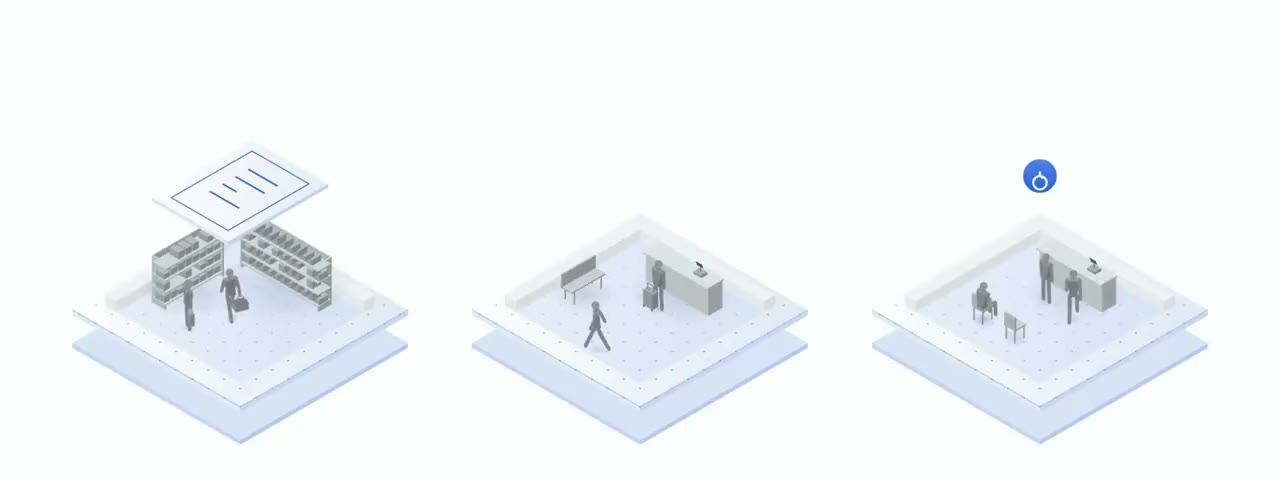
The organiser's own list is matched on the device; staff at the gate decide. Each match shows a token and its gate, never an image.
For venue teams: who's still inside stays unclear. In at Gate 4, through the zones, out at an exit.
For venue and event teams who need to know who is still inside, hall by hall. A Pulses Vision device on the ceiling above each gate, zone door and hall exit, or portable Pulses Vision Towers at the gates for an event-length site, shows each guest as one journey: in at a gate, through the zones, out at an exit. Pulses Compliance logs each entry into a restricted zone, such as the VIP lounge, backstage or the media area, and tells that zone's team. In an evacuation, door counts tell wardens how many people are still inside, hall by hall. Alerts land on WhatsApp, Teams, SMS or email, and a person decides what happens. Anonymous Unique FaceID is derived on the device and holds no personal data; all processing happens on the device and only anonymous metadata leaves.
A Pulses Vision device on the ceiling above each gate, zone door and hall exit. For an event-length site, portable Vision Towers set up at the gates.
In at Gate 4, through Hall C, out at an exit: one journey. Each zone entry is logged, and each hall has a number still inside.
A gate-list match goes to the supervisor at that gate, who decides. Guests walk in as usual. In an evacuation, door counts tell wardens how many are still inside, hall by hall. Alerts land on WhatsApp, Teams, SMS or email.
01 / 03 The organiser's own list is matched on the device; staff at the gate decide. Each match shows a token and its gate, never an image.
 02 / 03
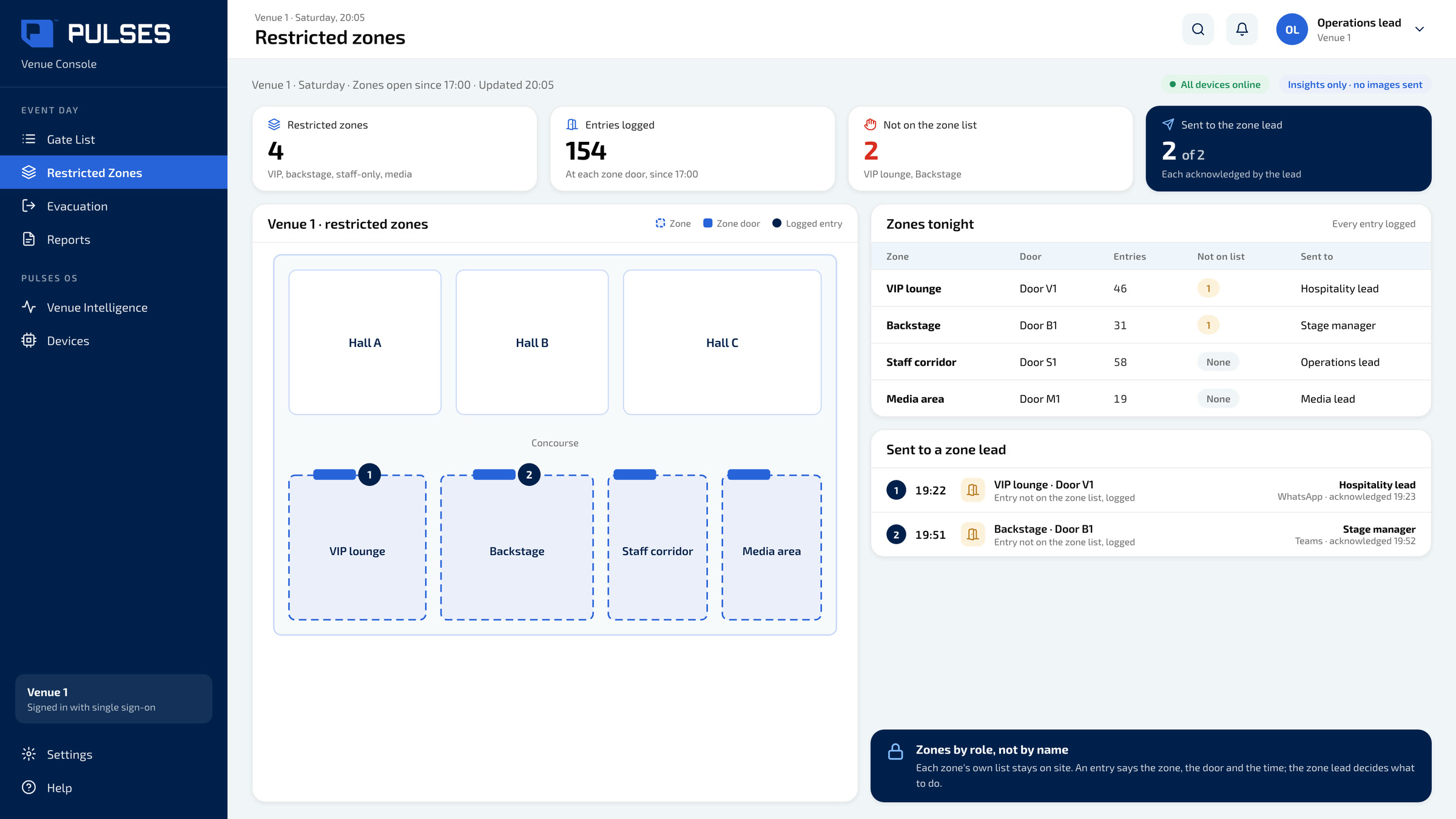
 Each entry into a restricted zone is logged; that zone's team is told. The VIP lounge, backstage, the staff corridor and the media area each have their own lead.
 03 / 03
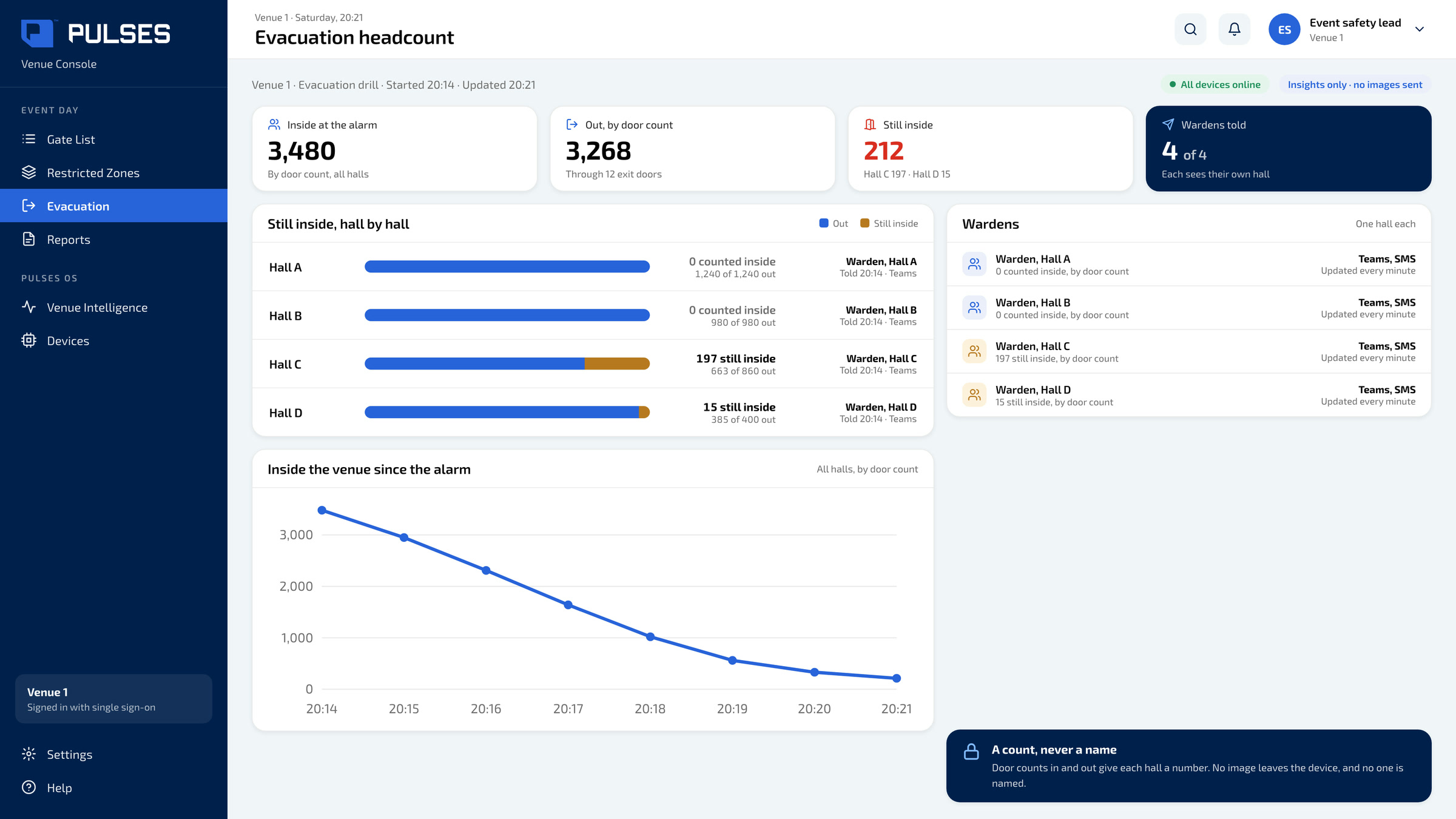
 In an evacuation, door counts tell wardens how many are still inside, hall by hall. Each warden sees their own hall's number.
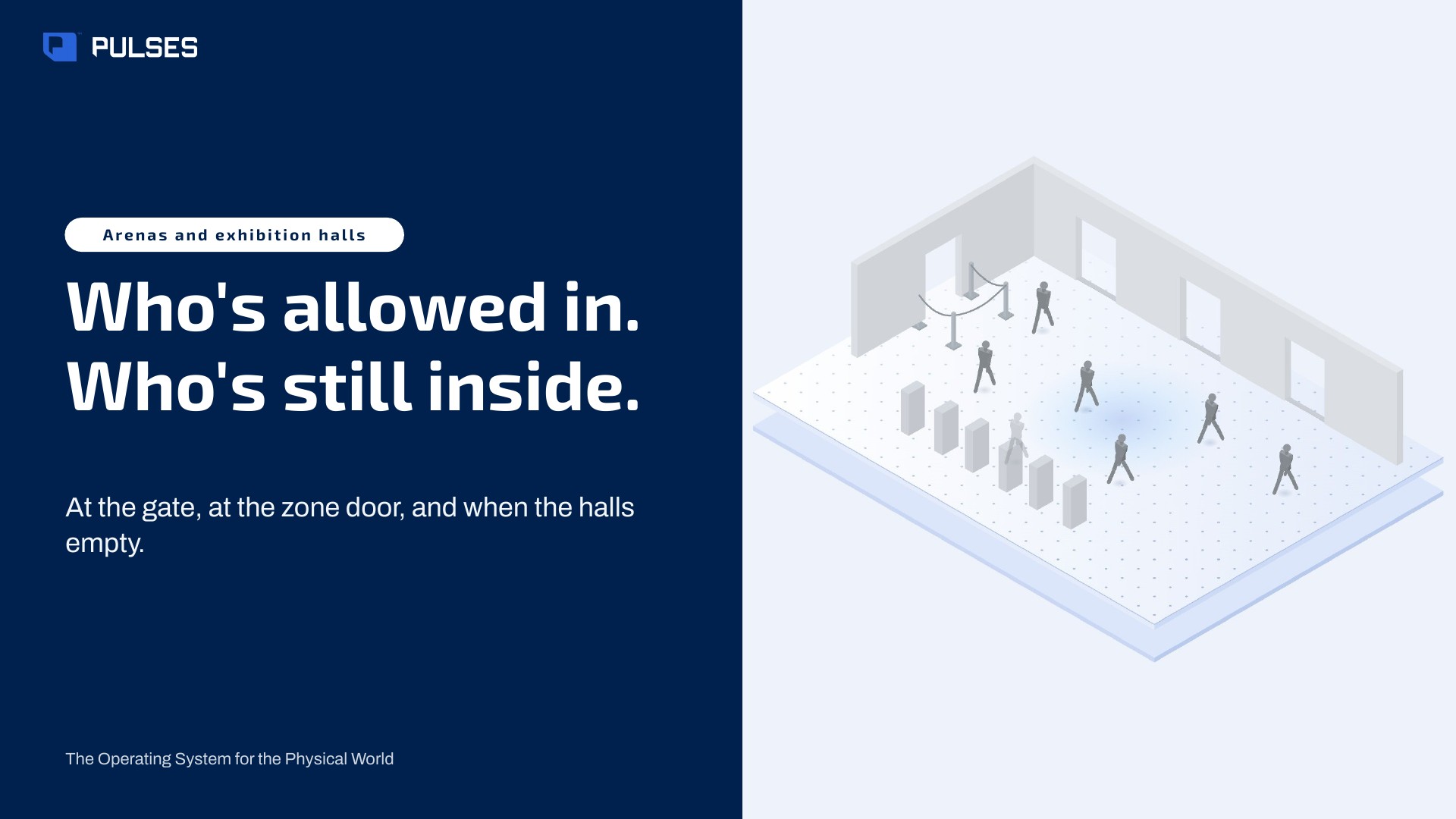
Inside a busy venue, each guest's journey runs from the gate, through the halls, to the exit. Yet with side doors and private zones, it's hard to say who's still inside. Pulses. AI for the physical world. Above each door, a Pulses Vision device understands one journey per guest, entry to exit. The organiser's own list is matched on the device; staff at the gate decide. Each entry into a restricted zone is logged; that zone's team is told. In an evacuation, each warden is told how many are still inside. Over one hundred and fifty million journeys counted across Pulses deployments. Designed and made in the UAE. See the full showcase.
The story for your leadership team: the problem and how it works.
Print-ready. Hand it on after the walkthrough.
Each restricted zone, such as the VIP lounge, backstage, the staff corridor or the media area, has its own lead. Pulses Compliance logs each entry into the zone and tells that zone's team on WhatsApp, Teams, SMS or email, and the team decides what to do. The Pulses Vision device above the zone door processes on the device; only anonymous metadata leaves it.
Door counts from the Pulses Vision devices above each hall exit tell wardens how many people are still inside, hall by hall, and each warden sees their own hall's number. It gives the wardens a number to work from as the evacuation runs; the evacuation itself stays with your wardens and your safety plan.
Alerts from Pulses OS land on WhatsApp, Teams, SMS or email, and each one goes to the person who owns that gate, zone or hall: the gate supervisor, the zone's lead or the warden. A person decides what happens next. Guests walk in as usual while the team sees each journey from gate to exit.
Yes. Each Pulses Vision device processes on the device, and only anonymous metadata leaves it: journeys from gate to exit, zone entries and the number still inside each hall. Anonymous Unique FaceID is derived on the device, can't be turned back into a picture and holds no personal data.
We go through your gates, zones and halls with you, door by door.
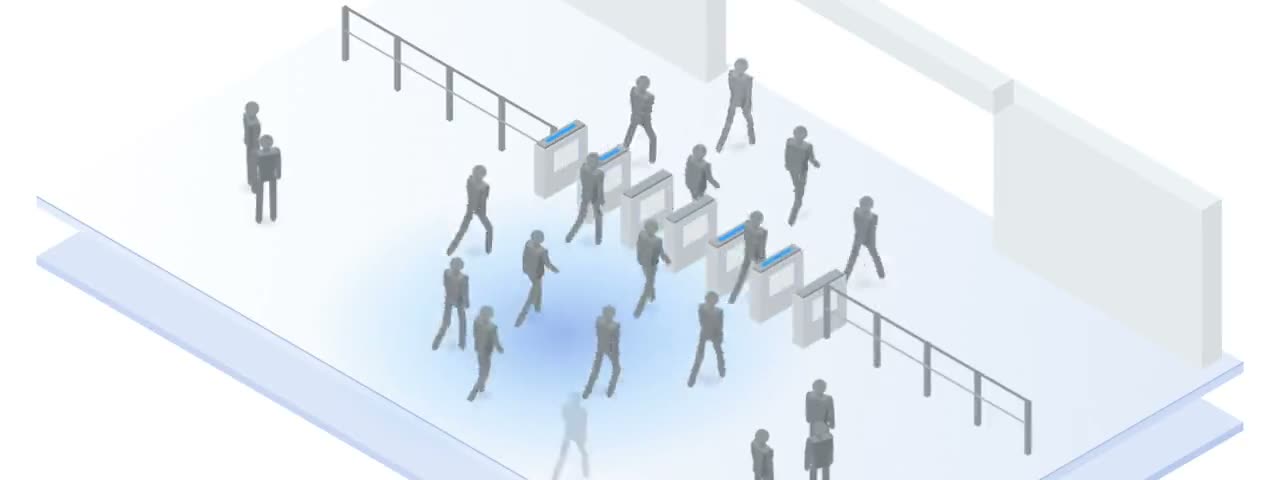 Crowd counts A real attendee-by-attendee journey.
  Culture events Hold every event to one standard.
  Culture sites Know where your visitors go next.
  Event intelligence See each attendee's journey.
  Safety Safety, seen in the moment.
  Pulses for Events & Venues 6 use cases in Events & Venues
 Every use case All 27 use cases
 Ask Pulses
Hello. Ask a question, or type your business.
Pulses spots a growing queue or a late car as it happens, and alerts your team.
What leaves the device is anonymous data, not video.
No. Pulses works alongside it, and can process its feeds on site.
Pulses Vision indoors, Vision Pro outdoors, Vision Tower for temporary sites, Vision Roam on vehicles.
Your supervisors, on the channels they use, with your approval.
Book a walkthrough. We find where Pulses helps first.
See Pulses at your site. Book a walkthrough.
Book a Walkthrough